How to Program the Collar Receiver for Multi-Dog Operation on the SD-3225These instructions are for matching a replacement Collar Receiver to your SportDOG Transmitter in 1-dog mode. Please read all steps before starting.
1. Program the Remote Transmitter to mode 1 or 2. (Consult the SD-3225 Owners Manual for more information on Transmitter Modes.) 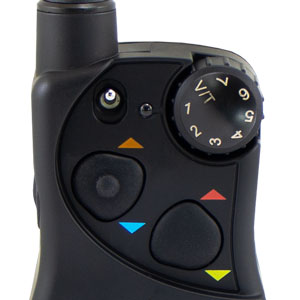 B. Turn the Remote Transmitter over. 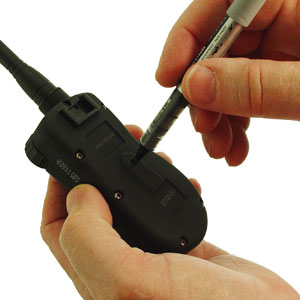 D. When the mode button is pressed, the Transmitter Indicator Light will be solid in color. When it is released, it will flash the same number of times as the mode selected. 2. Flip the toggle switch to the up position to program the first Collar Receiver.
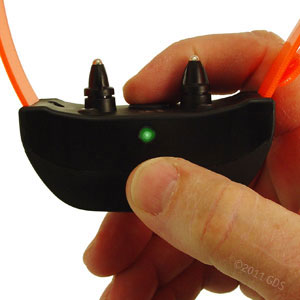 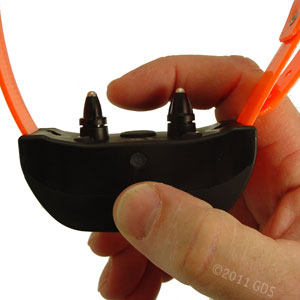 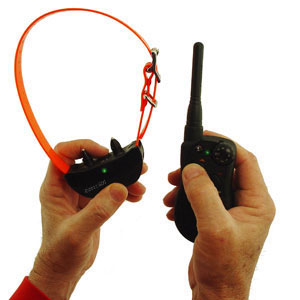 3. Program the second Collar Receiver the same way using A through D above, but with the toggle switch in the down position. How to Program the Collar for Three-Dog Operation with the SD-3225 1. Program the Remote Transmitter to mode 3 or 4. (Consult the SD-3225 Owners Manual for more information on Transmitter Modes.) 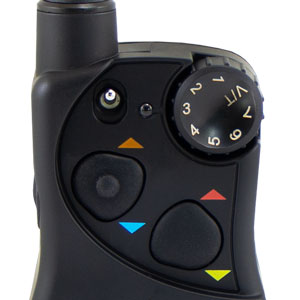 B. Turn the Remote Transmitter over. D. When the mode button is pressed, the Transmitter Indicator Light will be solid in color. When it is released, it will flash the same number of times as the mode selected. 2. Flip the toggle switch to the up position to program the first Collar Receiver.
3. Program the second Collar Receiver using A through D above, but using the Lower Button in place of the Upper Button. 4. Program the third Collar Receiver using A through D above, but using the Side Button in place of the Lower Button. How to Program the Collar for Six-Dog Operation with the SD-3225 1. Program the Remote Transmitter to mode 5 or 6. (Consult the SD-3225 Owners Manual for more information on Transmitter Modes.) 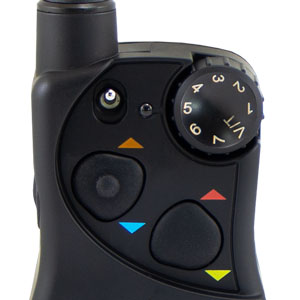 B. Turn the Remote Transmitter over. D. When the mode button is pressed, the Transmitter Indicator Light will be solid in color. When it is released, it will flash the same number of times as the mode selected. 2. Flip the toggle switch to the up position to program the first Collar Receiver.
3. Program the second Collar Receiver using A through D above, but using the Lower Button in place of the Upper Button. 4. Program the third Collar Receiver using A through D above, but using the Side Button in place of the Lower Button. 5. For Collar Receivers 4, 5, and 6, flip the toggle switch to the down position and repeat steps 2-4. |




FREE SHIPPING on Orders $125+ |
 |  |  |